You are viewing an Archived item in your Knowledge Base, it is not publicly accessible.

Contact Us

If you still have questions or prefer to get help directly from an agent, please submit a request.
We’ll get back to you as soon as possible.

Please fill out the contact form below and we will reply as soon as possible.

  • Contact Us
English (AUS)
AU English (AUS)
GB English (UK)
US English (US)
  • Home

Step 2. Check out the student view

Written by Elizabeth Carlson

Updated at June 5th, 2026

Contact Us

If you still have questions or prefer to get help directly from an agent, please submit a request.
We’ll get back to you as soon as possible.

Please fill out the contact form below and we will reply as soon as possible.

  • Rollover
  • Reading Eggs
    5 Simple Steps to Reading Eggs Reading Eggs & Eggspress Guides Fast Phonics Guides Reading Eggs FAQ's Reading Eggs Classroom Printable Videos Quick Tips What teachers are saying about Reading Eggs
  • Mathseeds
    Getting Started Classroom Strategies & Tips Classroom Printables FAQ's Printable Guides Student Console What is Mathseeds? Teacher Console Videos Webinars What teachers are saying about Mathseeds
  • Writing Legends
    Student Console Teacher Console Writing Legends FAQ's Getting Started
  • 3 Essentials Dashboard
+ More

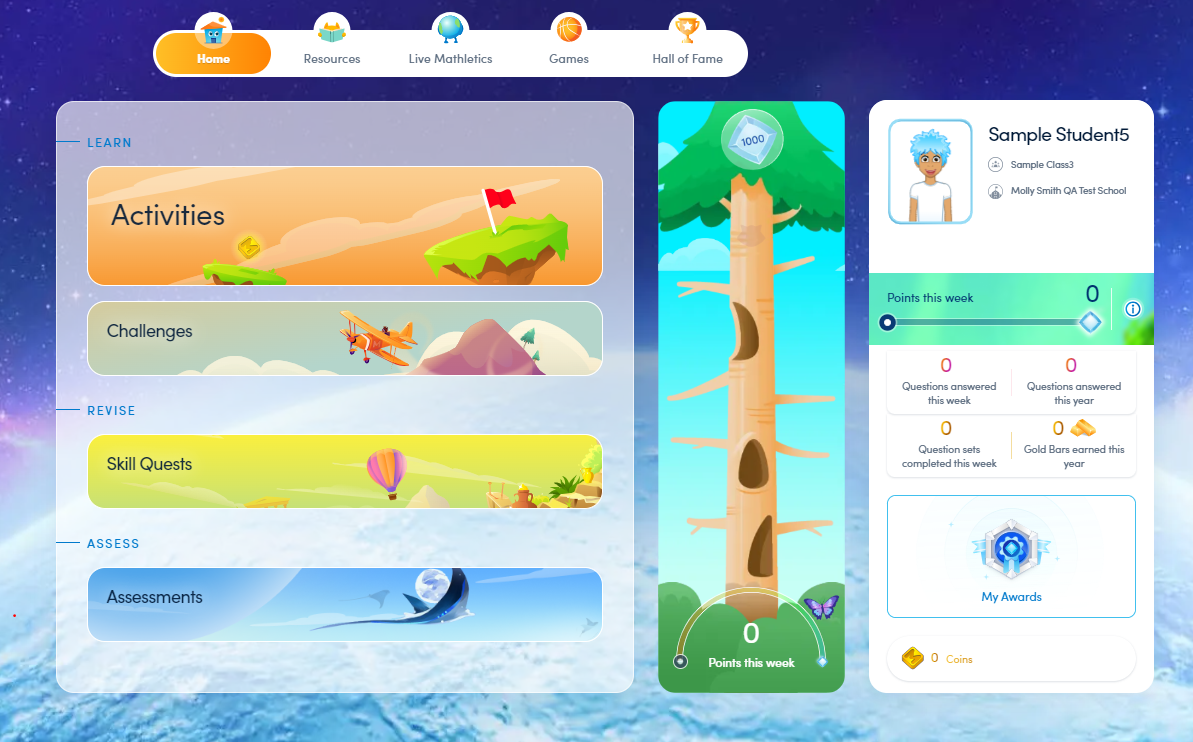
In this step, you will take a quick look at what your students have access to. You can use student view for instruction, to view activities, or to see why students love Mathletics so much. You can check out our Student Console Map or follow the directions below to view it live.

Download the Student Console Map.
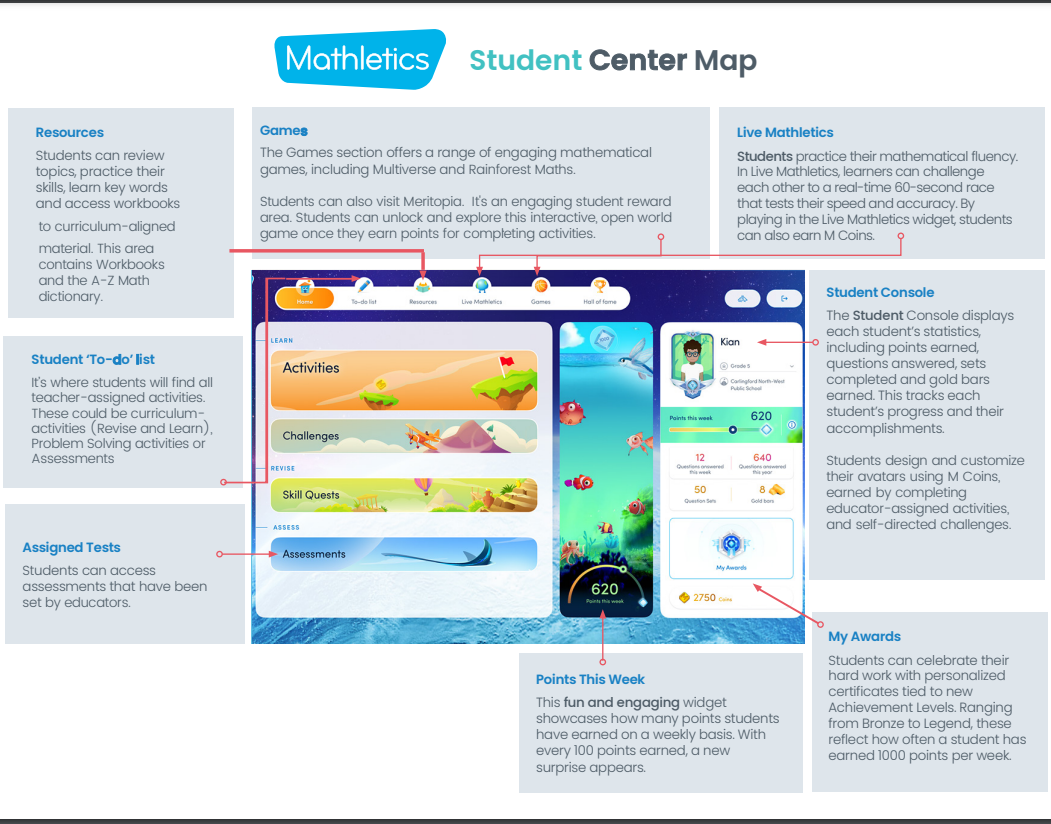
STUDENT CONSOLE MAP - A4

STUDENT CONSOLE MAP - USL 


Follow the instructions below to view the student console live.

1. Log into your Mathletics Teacher Console

2. Click 'Student View'    
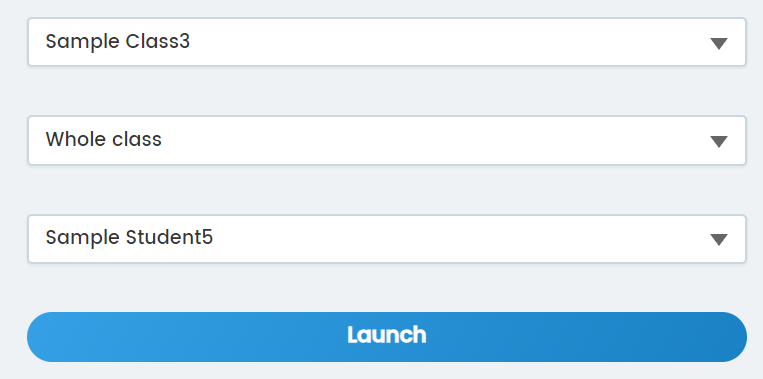
3. Select class, group, and then student  
4. Explore


Was this article helpful?

Yes
No
Give feedback about this article

Related Articles

  • Steps to complete your school’s rollover yourself
  • How do I get a Mathseeds demo for my class or school?
  • How to sign in to Reading Eggs with NSW DoE Single Sign On (SSO)

Copyright 2026 – 3P Learning.

Knowledge Base Software powered by Helpjuice

Expand